
Download BurnInTest – Hardware Testing, System Reliability, Performance Diagnostics
Overview
BurnInTest is a specialized mobile application designed to evaluate the stability and performance of hardware components within a computing system. It serves as a diagnostic tool for users seeking to verify the reliability of their devices under sustained high-load conditions. By simulating intensive workloads, BurnInTest helps uncover latent hardware issues that may not surface during regular usage, making it particularly valuable for both technical professionals and hardware enthusiasts.
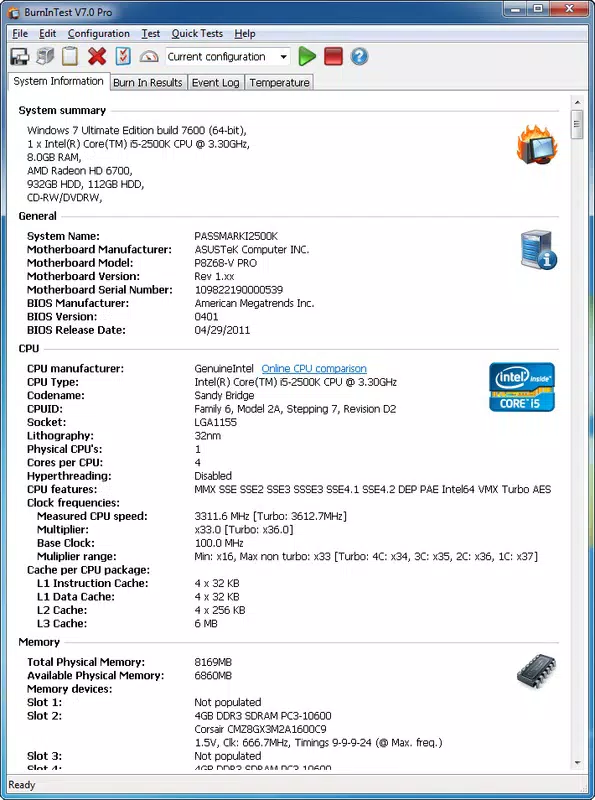
The app enables users to test critical components such as the CPU, RAM, hard disk, graphics card, sound card, and network devices, ensuring comprehensive system health assessment. This capability is essential in environments where system uptime and data integrity are paramount, such as in development, content creation, or enterprise computing. The target audience includes IT administrators, system builders, and anyone preparing a device for heavy-duty use.
While the developer did not provide additional background information, the app’s functionality aligns with established standards in hardware diagnostics. Real-world applications include pre-deployment testing of new systems, post-repair validation, and routine maintenance checks. In the broader mobile app ecosystem, BurnInTest fills a niche role as a utility tool focused on system integrity, offering a level of technical depth uncommon in consumer-oriented mobile applications.
Key Features & Functionality
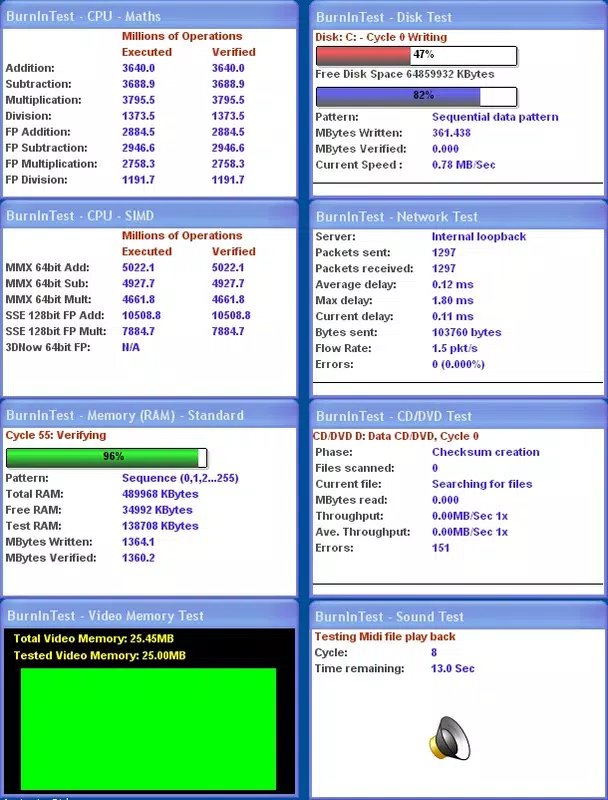
- Comprehensive Hardware Testing: BurnInTest performs in-depth evaluations across multiple hardware subsystems, including the CPU, RAM, hard disk, graphics card, sound card, and network interface. Each component is stressed under controlled conditions to assess stability and response under load.
- Error Detection Under Stress: The app simulates extreme workloads to reveal errors that may only occur during prolonged high-intensity operations, such as overheating, memory corruption, or disk read/write failures.
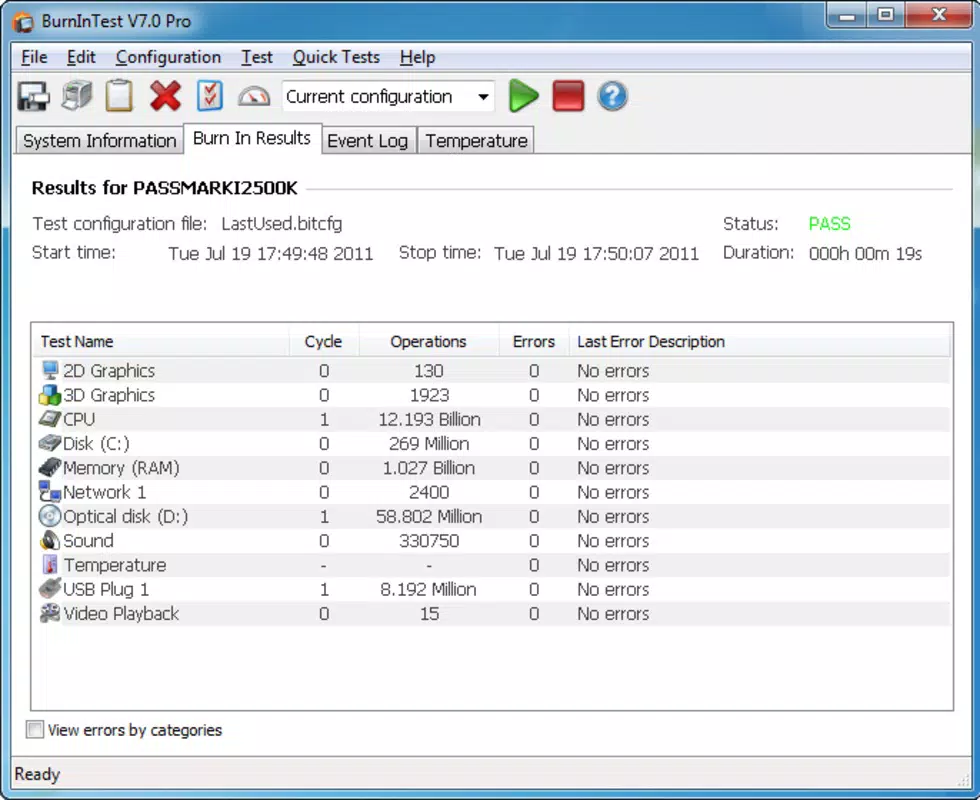
- Performance Summary Reports: After testing, BurnInTest generates a clear summary of results for each tested component. Users can view, analyze, and export these reports in text or image formats for documentation or further analysis.
- User-Friendly Interface: Designed with accessibility in mind, the interface allows both novice users and experienced technicians to initiate tests, monitor progress, and interpret results without requiring advanced technical knowledge.
- Customizable Test Profiles: Users can configure test durations, intensity levels, and component selection, enabling tailored diagnostics for specific use cases or system configurations.
For example, a system builder might use BurnInTest to validate a newly assembled workstation before delivery, ensuring all components function reliably under stress. Similarly, an IT technician could run a full diagnostic on a laptop returned from repair to confirm the fix was effective. The ability to save test results provides a valuable audit trail for troubleshooting and compliance purposes.
Interface, UX & Performance
The interface of BurnInTest features a clean, structured layout optimized for clarity and ease of navigation. Core functions are accessible through intuitive menus, with real-time progress indicators that display test status across each hardware component. Visual feedback, such as color-coded status markers, helps users quickly identify which systems are performing within expected parameters.
Navigation is linear and predictable, minimizing the risk of user error during testing sessions. Although the developer did not list formal performance metrics, the app appears to operate efficiently across a range of device categories, maintaining responsiveness even during extended stress tests. Stability is maintained through optimized resource management, preventing crashes or freezes during prolonged usage.
The app’s design prioritizes usability, ensuring that users can focus on interpreting results rather than managing complex settings. Compatibility with various screen sizes and input methods suggests broad adaptability across different mobile devices. The overall experience reflects a balance between technical functionality and user accessibility, making it suitable for both casual users and professionals.
Platform Compatibility & Technical Requirements
BurnInTest is available for Android and iOS platforms, supporting the latest versions of both operating systems. The app has a file size of 12.4 MB, making it lightweight and suitable for devices with moderate storage capacity. The software version is 2.0.1, released on June 24, 2025.
Specific minimum OS requirements were not listed by the developer, nor were detailed hardware specifications for optimal performance. The developer did not specify compatibility with older operating system versions. Users are advised to ensure their device meets standard requirements for running diagnostic applications.
While the app’s size suggests minimal storage impact, actual performance may vary depending on device capabilities and background processes. The developer did not provide additional technical details.
Pros and Cons
Pros
- Comprehensive testing across multiple hardware components
- Effective error detection under high-stress conditions
- Clear, exportable performance reports for documentation
- Intuitive interface suitable for both beginners and experts
- Lightweight file size with efficient resource usage
Cons
- Developer did not specify minimum OS or hardware requirements
- No information on compatibility with older device models
- Limited details on background operation or battery impact
- Specific testing duration options were not disclosed
- Compatibility with certain hardware configurations remains unverified
FAQ
Is BurnInTest safe to use on my device?
BurnInTest is designed to stress-test hardware components in a controlled manner. When used as intended, it poses no permanent risk to devices. However, users should ensure their device has adequate cooling and avoid prolonged testing in high-temperature environments.
Can I run BurnInTest on older smartphones or tablets?
The developer did not specify compatibility with older devices. While the app’s lightweight size suggests it may function on older models, performance and stability cannot be guaranteed without official requirements.
Does BurnInTest require internet access?
No, BurnInTest operates offline. It does not require an internet connection to perform hardware diagnostics or generate reports.
How long should I run a test session?
Test duration depends on the user’s needs and device configuration. The app allows customizable testing periods, but specific recommendations were not provided by the developer.
Can I save test results for future reference?
Yes, BurnInTest generates summary reports that can be saved as text or image files, enabling users to track system performance over time or share results with technical support.
Final Thoughts
BurnInTest stands out as a reliable, focused tool for users who prioritize system stability and hardware integrity. Its ability to simulate extreme workloads and detect subtle failures makes it a valuable asset for anyone involved in system setup, maintenance, or troubleshooting. The clean interface and exportable reports enhance usability, bridging the gap between advanced diagnostics and everyday accessibility.
While the lack of detailed technical specifications limits full transparency, the app’s core functionality remains robust and purpose-built. It is particularly beneficial for IT professionals, system builders, and tech-savvy users seeking peace of mind before deploying or upgrading critical hardware. With its lightweight design and strong diagnostic capabilities, BurnInTest delivers clear value in a niche but essential category.
Download BurnInTest now


